Webnovel Mass Scheduler features
Import multiple chapters, set their publishing dates, and mass schedule them in Inkstone. Save separate settings for each novel.
Weekly schedules and timezones
Set a starting chapter and date, choose how many chapters to publish each weekday, and enter local time or GMT+8. Use a burst schedule to publish opening chapters more frequently.
Read the setup instructions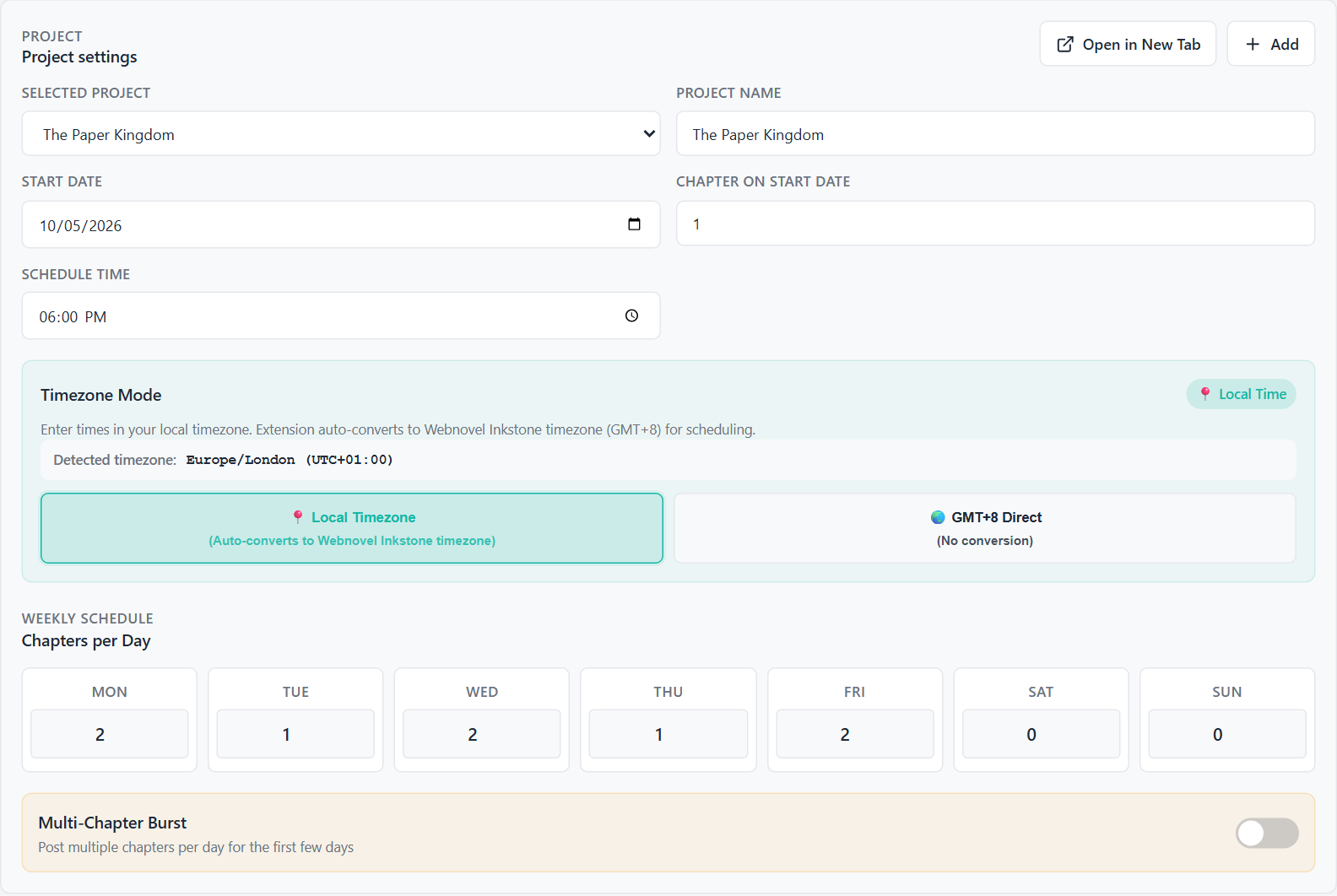
Import and check chapter text
Paste numbered chapters or upload .txt and .md files. Check the detected chapter numbers and missing chapters before saving them to the selected project.
Read the setup instructions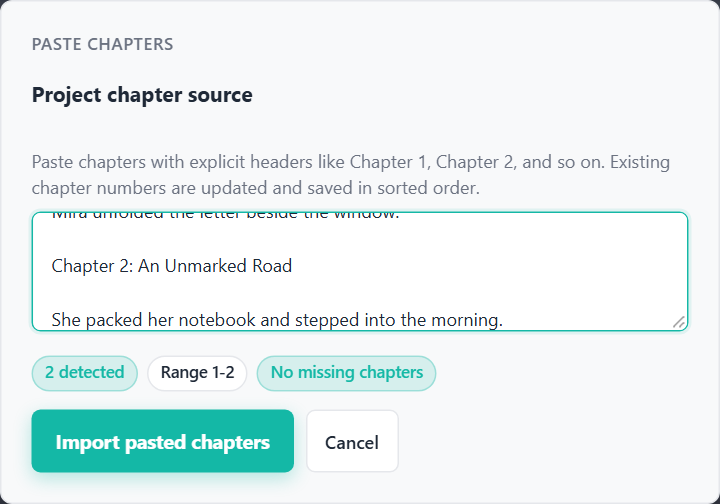
Preview every chapter date
Select the matching novel in Inkstone and choose how many chapters to schedule. Review the titles, dates and times before starting the run.
Read the setup instructions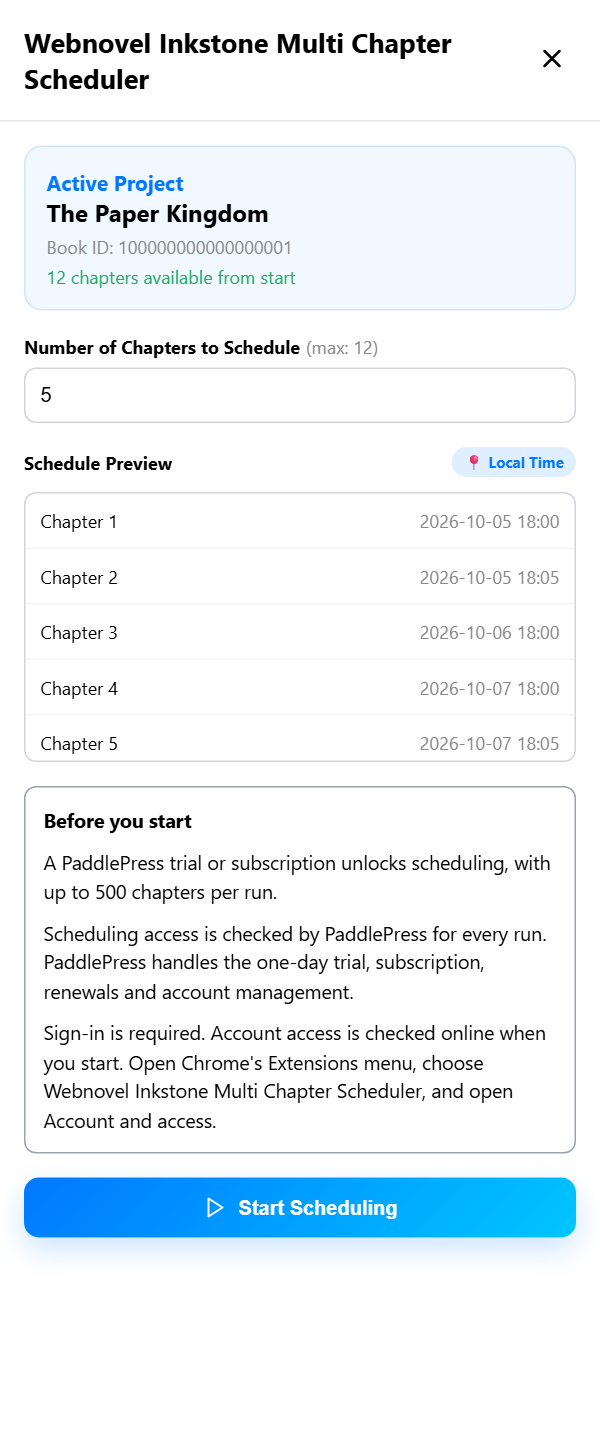
Scheduling results and retries
Track completed, failed and skipped chapters. Read the error log and check Inkstone for chapters it may have received before retrying a failed chapter.
Read the setup instructions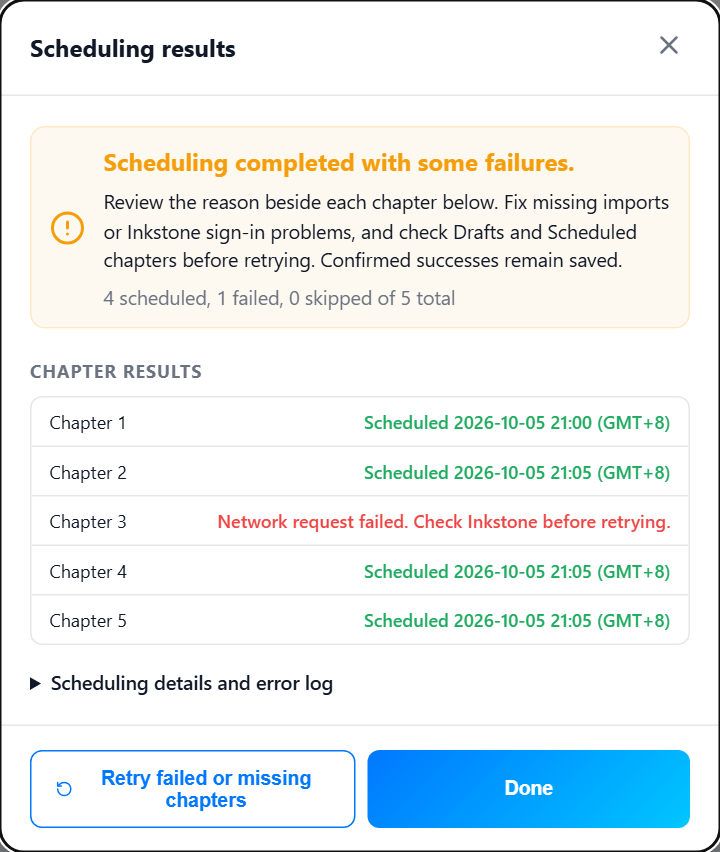
Patreon chapter notices
Automatically calculate each book’s Patreon chapter number using its starting chapter, starting date and weekday schedule. The notice on each scheduled WebNovel chapter uses that chapter's publishing date.
Each book has its own Patreon schedule. Calculations use the settings you enter; the extension does not read or publish Patreon posts.
Set up Patreon noticesAuthor notes and recommendations
Add an Author’s Thought, rotate recommended books, and include Patreon progress notices for your fanfics and novels. The chapter numbers are calculated from each book’s Patreon schedule. Choose whether to use separate notice settings for each novel or share them across projects.
Back up project settings
Export settings to JSON and keep the original chapter files separately. Restore the settings, import the chapters and review the schedule before starting a new run.
Backup instructions